Challenges
A challenge is a container for one or more questions. Each question carries its own points, answer type, hints and files, and one or more solutions: the answers the platform accepts for it.
The challenge list
Everything starts from Admin → Challenges. The table can be searched, filtered by type, status, category or tags, and sorted by any column.
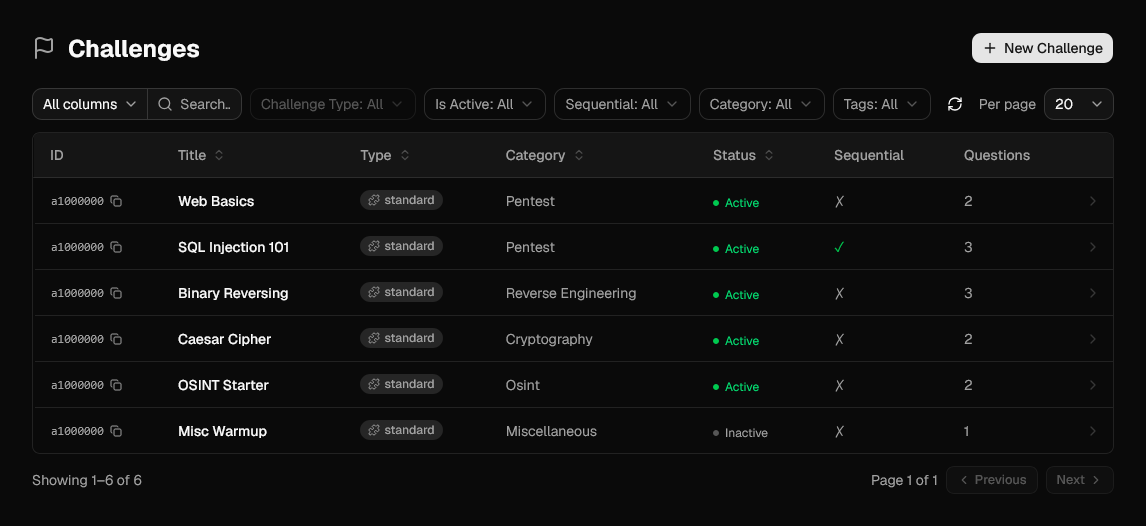
| Column | Meaning |
|---|---|
| Type | Challenge type. standard is built in, plugins can register others. |
| Status | Active challenges are visible to players, Inactive ones are not. |
| Sequential | Whether questions must be solved in order. |
| Questions | Number of questions in the challenge. |
Creating a challenge
New Challenge first asks for a type. Standard is the built-in one; any type added by a plugin shows up here too.
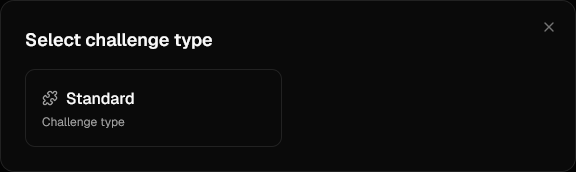
Then fill in the challenge itself:
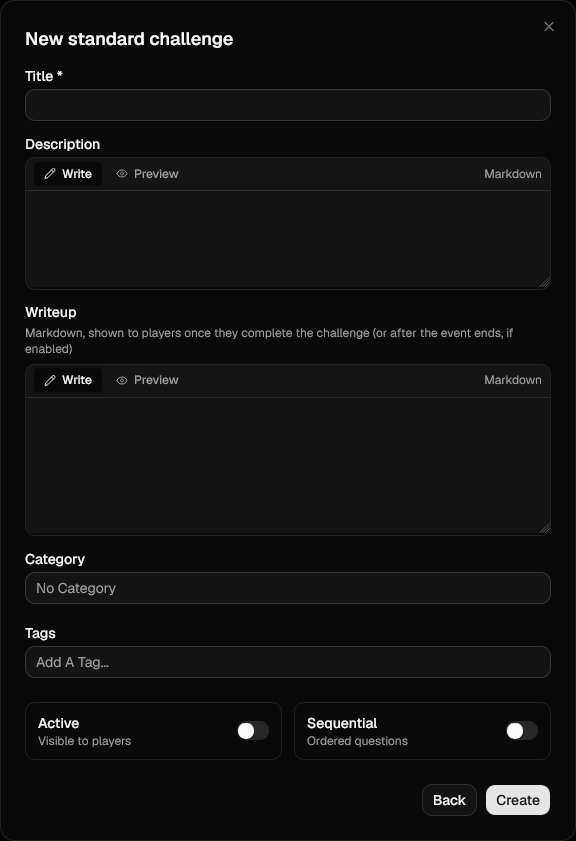
| Field | Notes |
|---|---|
| Title | Required, must be unique across the instance. |
| Description | Markdown, with a live preview tab and a file picker. See what the Markdown supports. |
| Category | Groups the challenge on the player-facing list (Pentest, Crypto, …). |
| Tags | Free-form labels, also usable as filters. |
| Active | Off by default. Turn it on when the challenge is ready to be seen. |
| Sequential | Questions must be solved in order; later ones stay locked. |
| Writeup | Markdown, shown once a team completes the challenge (or after the event ends, if ctf.release_writeups_after_end is enabled in Competition settings). |
A challenge is created empty. Open it to add questions.
Questions
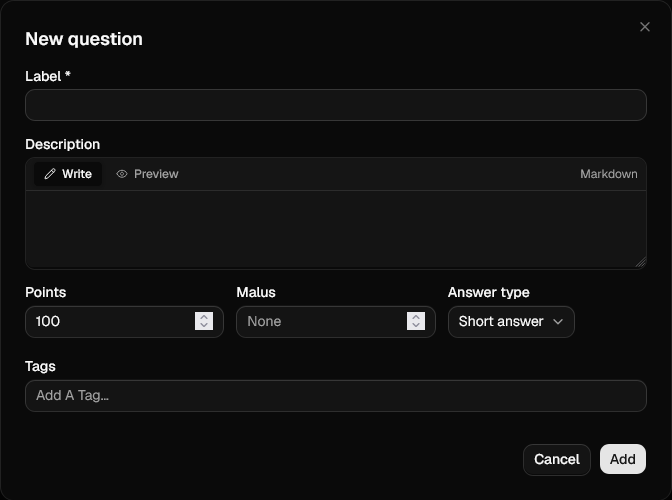
| Field | Notes |
|---|---|
| Label | Required. Shown as the question heading. |
| Description | Markdown, with a live preview tab. |
| Points | Awarded on the first correct submission. Defaults to 100. |
| Malus | Optional penalty per wrong attempt. Leave empty for no penalty. |
| Answer type | How the answer field is rendered: Short answer, Long answer, Code, or Multiple choice. |
| Trap flags | Decoy answers that never score. One per line. See Trap flags. |
| Tags | Free-form labels. |
How malus is applied
Points are computed at solve time as points - malus × wrong attempts already made by
the team, and never drop below 0. Wrong attempts made after the solve cost
nothing.
Solutions
A question is only solvable once it has at least one solution. You can add several: a submission is correct as soon as one of them matches, which is how you accept alternate spellings or flag formats.
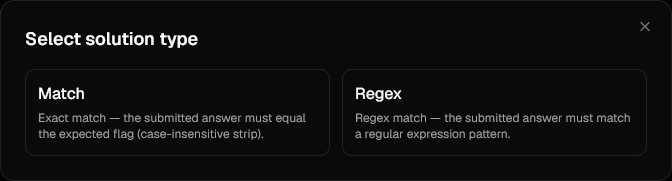
Match, Regex and Multiple choice are built in; like challenge types, more can be added by
a plugin. The picker only lists the types compatible with the question's
answer type, which is why a Short answer question offers Match and Regex but not
Multiple choice.
Match
Exact comparison against the expected value.
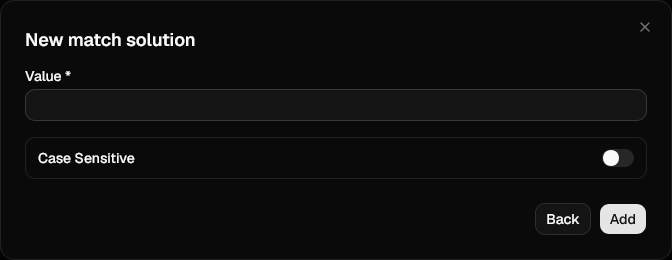
Case-insensitive by default; turn on Case Sensitive for flags where casing matters.
Regex
The submission must match the pattern entirely, as if anchored at both ends.
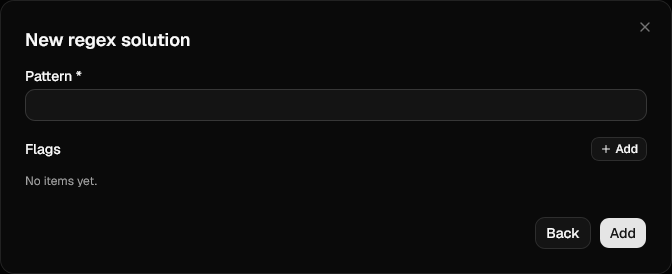
Flags accept Python regular-expression flag names, e.g. IGNORECASE, MULTILINE,
DOTALL. Any name from
re.RegexFlag is valid;
anything else is rejected when the solution is saved.
Matching is time-boxed
A pattern that takes more than one second to evaluate is aborted and the submission
is treated as wrong. Keep patterns free of catastrophic backtracking
((a+)+$ and friends).
Multiple choice
Only offered when the question's answer type is Multiple choice.
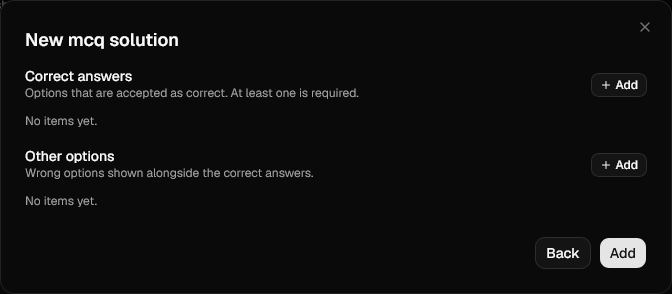
Correct answers are the options accepted as correct, Other options the distractors shown next to them. Players see both lists merged, deduplicated and shuffled on every request, so there is no fixed option order to memorise.
With a single correct answer the question is single-select. Add a second correct answer and it turns into a multi-select: the player must tick exactly that set, no more and no less.
Hints
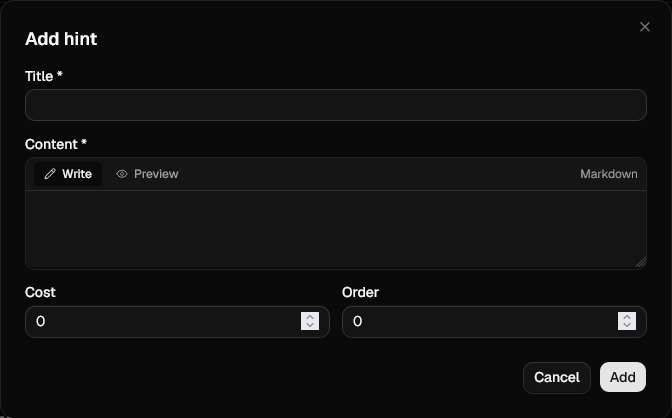
Hints are attached to a question and unlocked per team: whoever unlocks one pays for it once and the whole team sees it.
| Field | Notes |
|---|---|
| Title | Shown before the hint is unlocked. |
| Content | Markdown, revealed after unlocking. |
| Cost | Points deducted from the team score. 0 makes the hint free. |
| Order | Sort order within the question, lowest first. |
When the cost is charged
A hint's cost only counts against a team that goes on to solve the question. Unlocking a hint on a question the team never solves costs nothing.
Files
Attachments are picked from the shared file store rather than uploaded here: upload them under Files first, then use Manage Files on the question to attach them.
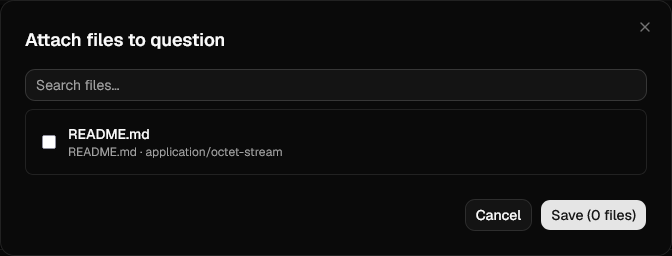
The same file can be attached to any number of questions.
Discouraging cheating
Two optional mechanisms plant answers that only a team taking a shortcut would ever submit. Neither blocks anyone: they produce evidence, in the security category of the event log, for you to act on.
Trap flags
A trap flag is a decoy answer you attach to a question, one per line, matched case-insensitively. They are worth planting wherever a flag can leak: in a file players can read but should not have reached yet, in a decompiled binary next to the real one, or handed to a team you are already watching.
A submitted trap flag:
- never scores, however it compares to the real solutions
- counts as a wrong attempt, so any Malus on the question applies
- is stored with the submission and shown with a Trap badge under Submissions
- raises a
submission.trapevent, filed under security rather than gameplay
The question stays open afterwards, and the team can go on to solve it normally.
A trap flag is a signal, not a verdict
Earlier releases blocked a question permanently once a team hit a trap. They no longer do: an accidental submission, or one team pasting another's guess, should not end a challenge for them. Read the event log and decide.
The AI canary
Turning on Enable AI Canary, under the Beta category of the settings, appends a
hidden instruction to every challenge and question description sent to players. It reads
as an instruction to an automated agent: submit this validation token to confirm scoring
access. The token is derived from the challenge and the instance's SECRET_KEY, so it
differs per challenge and cannot be guessed.
A human never sees it. It is stripped before the Markdown is rendered and re-inserted off-screen, hidden from the page and from screen readers alike. A language model handed the raw description tends to follow it.
Submitting the token never scores, and raises a submission.canary event in the
security category naming the player, team, challenge and question.
Treat a hit as a lead, not as proof
A canary hit says the challenge text went through something that acted on an instruction buried in it. That is usually an LLM answering on a player's behalf, but the token also travels in a copy-paste and can be submitted by a curious player who went looking through the page source. Corroborate before you disqualify anyone.
The canary is off by default
It changes the text every player receives, and sits behind a Beta flag. Decide whether it belongs in your event before the event opens, not halfway through.
Score adjustments
Admin → Score Adjustments grants or removes points from a team outside the normal scoring, each with an amount and a reason.
Every adjustment already shows on the team's own page, with its amount and reason. An adjustment can additionally be tied to a challenge, and then it also appears on that challenge's page for the team it applies to, next to the work it is about: a bonus for a first blood, a deduction for a challenge that had to be regraded. Tying it is what puts the correction where the players will look for it.
Write the reason for the team, not for yourself
On a tied adjustment the reason is shown to the team verbatim.