Scheduler
Jobs that fire at a chosen date and time, once or on a repeating schedule: open a challenge at the start of a round, post a reminder before the freeze, close everything when the event ends.
Requires the scheduler worker
Jobs are executed by a separate worker process, not by the API. If that container is not running, jobs simply stay pending and nothing fires. See Deployment.
The job list
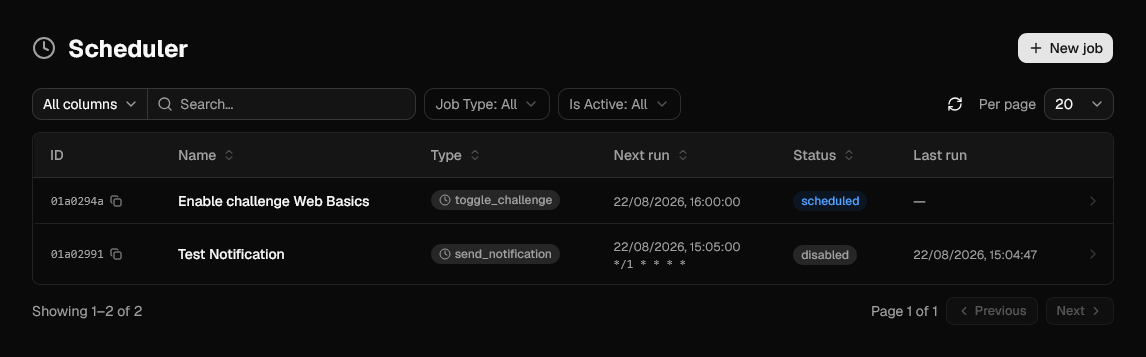
| Column | Meaning |
|---|---|
| ID | Identifier of the job, with a copy button. |
| Name | Label given when the job was created. |
| Type | What the job does, see Job types. |
| Next run | When the job is due, in your local timezone, with the cron expression underneath for repeating jobs. |
| Status | scheduled for a job still waiting, completed once a one-shot job has run, disabled for a job that is turned off. |
| Last run | When the job last executed. |
Creating a job
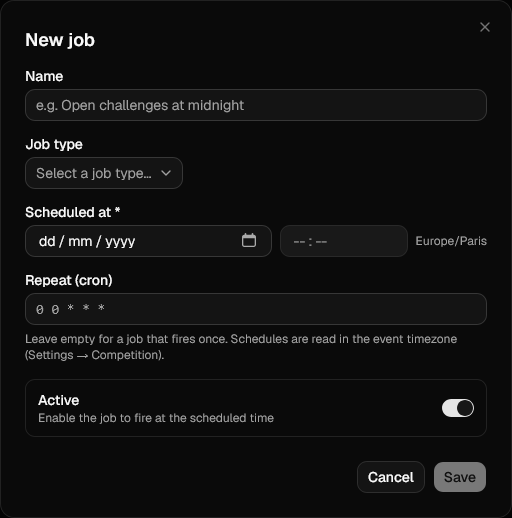
| Field | Notes |
|---|---|
| Name | Free-form label, only used in the admin panel. |
| Job type | What the job does. The Parameters section changes with the type. |
| Scheduled at | Date and time the job is due, entered in your local timezone. With a cron expression it becomes First run (optional): leave it empty and the first cron occurrence is used. |
| Repeat (cron) | Optional cron expression. Empty means the job fires once. See Repeating jobs. |
| Active | On by default. A job that is not active never fires. |
| Parameters | Type-specific, see below. |
A job needs either a date or a cron expression, and can have both.
Jobs fire on a one minute tick
The worker looks for due jobs every 60 seconds, so a job runs at its scheduled time or shortly after, never before. Scheduling something to the second is not useful.
Repeating jobs
A cron expression turns a one-shot job into a repeating one. Standard 5-field syntax is accepted, and 6 fields when you need seconds:
| Expression | Fires |
|---|---|
0 0 * * * |
Every day at midnight. |
*/5 * * * * |
Every five minutes. |
0 9 * * 1 |
Every Monday at 09:00. |
The field previews the next fire times as you type, and refuses to save an expression it cannot parse.
Which timezone applies
Cron expressions are read in the event timezone, set by ctf.timezone in
Competition settings, so "every day at midnight" stays at
midnight across a daylight-saving shift. Times are always displayed in the local
timezone of whoever is looking at the page.
After each run the job is rescheduled to its next occurrence and stays scheduled. A
repeating job runs until you disable or delete it; if its expression somehow becomes
unparsable, the job is deactivated instead of firing at the wrong time.
Job types
toggle_challenge
Turns a challenge on or off.
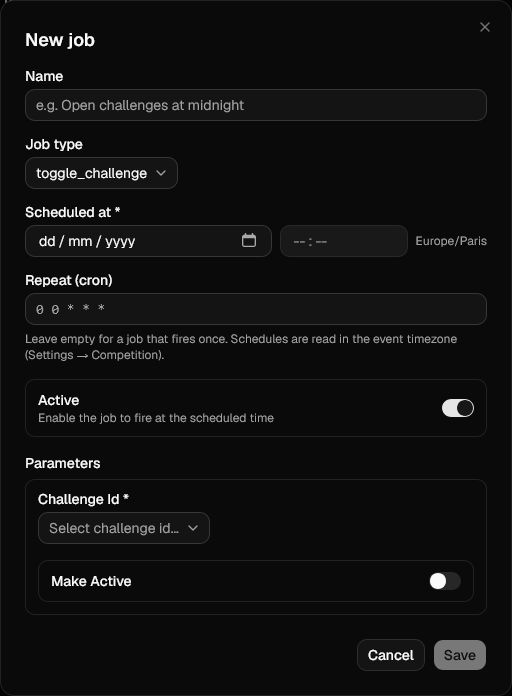
| Parameter | Notes |
|---|---|
| Challenge Id | The challenge to change. |
| Make Active | On makes the challenge visible to players, off hides it. |
Two jobs on the same challenge, one with Make Active on and one off, give you a release window.
send_notification
Sends the same message the Notifications page sends, at a chosen time.
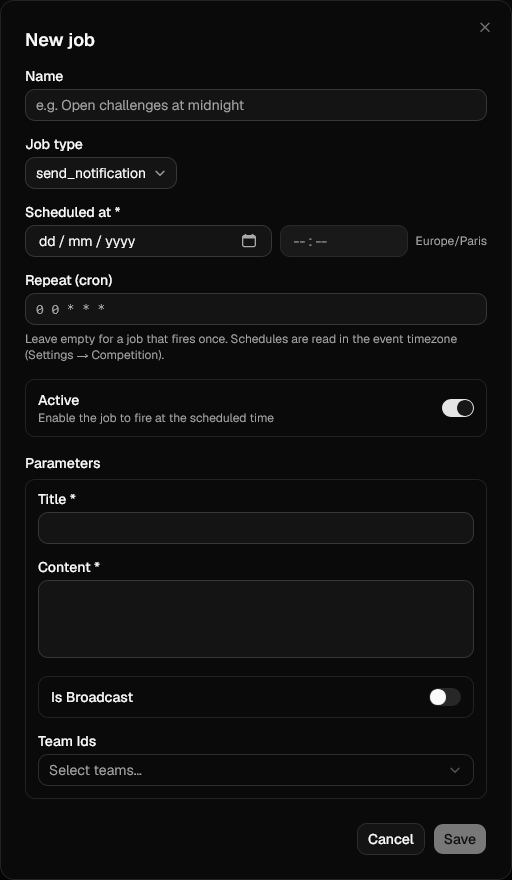
| Parameter | Notes |
|---|---|
| Title | Headline shown to players. |
| Content | Body of the message. |
| Is Broadcast | Send to every user instead of specific teams. |
| Team Ids | Recipients when Is Broadcast is off. |
backup_database
Dumps the database to object storage, the same dump Admin → Backups takes by hand. This is how you get nightly backups without a cron job on the host.
| Parameter | Notes |
|---|---|
| Keep Last | How many dumps to keep. Older ones are deleted after each run. Between 1 and 100, defaults to 7. |
Pair it with a cron expression: 0 3 * * * with Keep Last at 7 gives you a
week of nightly dumps on a prefix that never grows. See
Backups for what a dump contains, and what it does not.
Pruning happens after the dump, not before
Keep Last counts every backup on the prefix, including ones you took by hand. Set it high enough that a manual backup taken before an upgrade is not swept away by that night's run.
More job types can be added by a plugin.
Job details
Opening a job shows what it will do and what it has done.
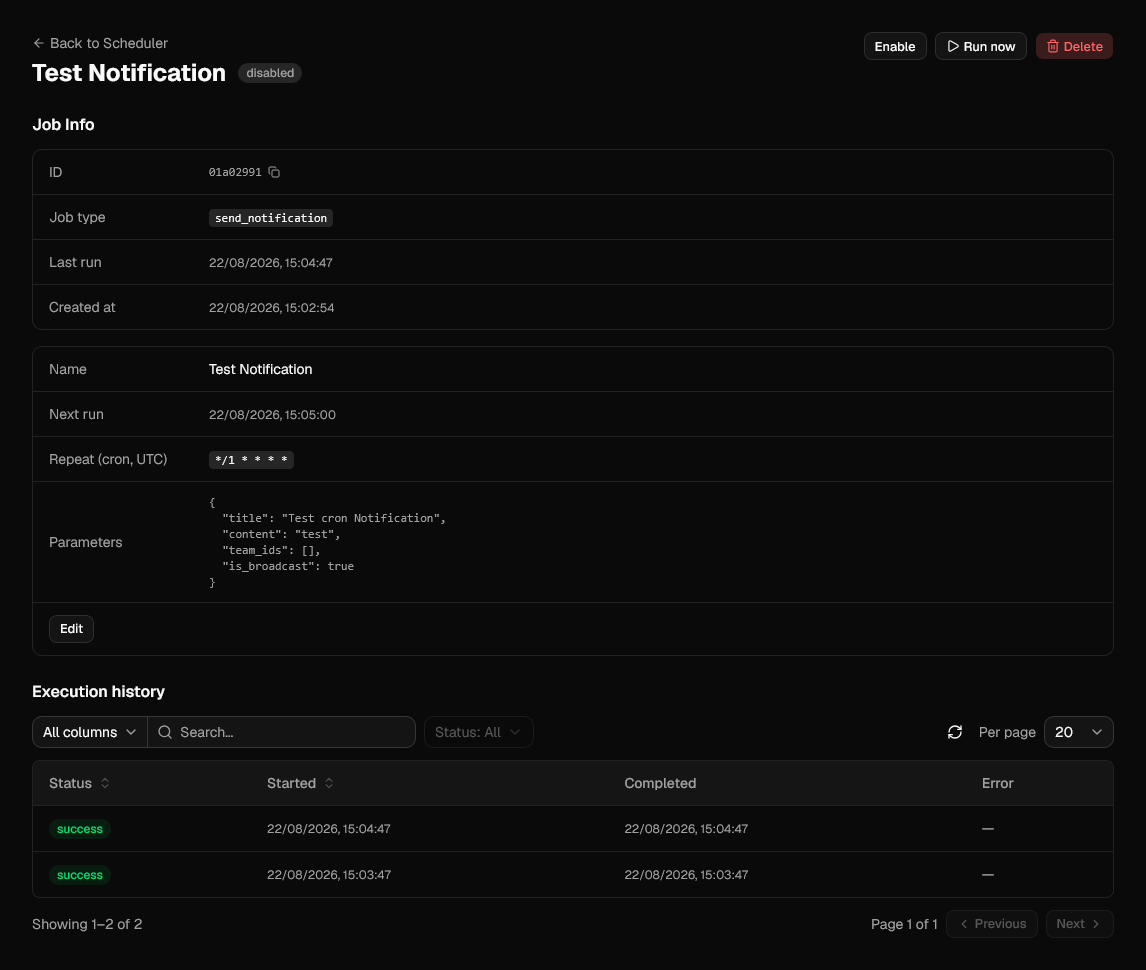
Next run and Repeat (cron) show when the job fires next and, for a repeating job, the expression driving it. Edit changes the name, schedule, cron and parameters, Disable stops a job from firing, and Delete removes it along with its history.
Run now executes the job immediately, without touching its schedule: the job still fires on its own at its next run time afterwards. Useful for checking that the parameters are right.
Execution history
Every run is recorded with its status, start and completion time, and the error message if it failed.
A failed run is not retried. A one-shot job is retired either way, and a repeating job moves on to its next occurrence, so check the history after an important job was due. Only the last 100 runs of a job are kept.